Follow us


Description: Installing Backtrack 3 on Vmware Workstation Backtrack 3 installation consists of primarily 3 steps:
1.Booting Backtrack from the ISO:
This consists of downloading the Backtrack ISO, creating a virtual machine in Vmware which is configured to boot using the ISO. This is achieved by setting the CDROM location in Vmware to point to the ISO.
2. Creating a new partition and formatting it:
Once Backtrack 3 has booted, use a combination of fdisk, mkfs and fcsk to create a new partition, format it and check the formatting respectively. A good primer for the entire process is available here
3. Installing Backtrack 3:
This consists of the standard procedure including the boot loader installation (LILO). Follow the video for the exact steps.
Initially I intended to create this video myself but found a very good one online blip.tv . So i have simply posted it here.
Tags: basics ,
Disclaimer: We are a infosec video aggregator and this video is linked from an external website. The original author may be different from the user re-posting/linking it here. Please do not assume the authors to be same without verifying.
Comments:
Login to post a comment

-
 Defeating Getimagesize() Checks In File Uploads
-
 Challenge 6: Digest Authentication Reloaded
-
 Challenge 5: Digest Authentication Attack
-
 Basic Authentication And Form Bruteforcing
-
 Http Basic Authentication Attack (Easy)
-
 Challenge 2: Http Form Attacks Reloaded
-
 Http Verb Tampering Demo
-
 Web Application Pentesting Course Introduction
-
 Introducing Pentester Academy
-
 Hack Of The Day 13: Remote Shellcode Launcher: Testing Shellcode Over A Network
-
 Hack Of The Day 12: Pivots And Port Forwards In Scenario Based Pentesting
-
 Hack Of The Day: Customizing Shellcode For Fun And Profit
-
 Hack Of The Day: How Do I Run Untrusted Shellcode?
-
 Securitytube Linux Assembly Expert Exam Format
-
 [Slae] Writing An Custom Insertion Encoder
-
 [Slae] Execve Shellcode Stack Method
-
 [Slae] Shellcoding Basics
-
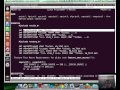 [Slae] Using Libc And Nasm
-
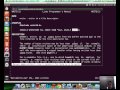 [Slae] Hello World In Assembly Language
-
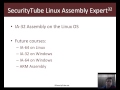 [Slae] What Is Assembly Language?

I need someone who is capable of hacking* websites & accessing their email database
I don't need scraping,web crawling or extractors
I need this sites HACKED so I gain access to their email DB
I will need to test the result u give me,if it checks out,I am willing to pay up to 3000$
per website and 10-20 websites monthly,which will increase upon delivery of faster & quality
service
Pls note,CONTINUITY is what I am after...I NEED A GOOD PARTNER I CAN WORK WITH FOR A VERY
LONG TIME!. I HAVE AT LEAST 500 WEBSITES ON MY LIST AND IM WILLING TO PAY 3000$ PER WEBSITE
PLEASE SEND ME A MAIL IF U CAN DO THIS ASAP ; omorye007 (at) yahoo (dot) com
Cheers