Follow us


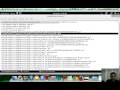
Description: This video is the first of many on the subject of Reverse Engineering. I will try my best to go slow so that you can grasp the concepts properly. I would highly recommend that you try out all the samples yourself, as it will be the fastest way to learn. Please download the c code and the binary exe file (don't worry it's not a virus :D ) before starting with this tutorial. <br><br>In this tutorial we will understand how to use a Hex Editor to view a binary file and find useful things. For this video we have created a sample exe using the code shown below. The idea is to hide a string in the exe and use it for a password validation in the application. As everyone knows this is the most insecure form of authentication ;-) and we will use a Hex editor to crack the password by looking at strings in the binary file. <br><br>After watching this video, please download the binary and try it yourself. Hex Workshop is a good Hex editor and is the one used for the video. <br><br> <br>--------- Program Starts -----------<br><br><span style="font-weight: bold;">#include <stdio.h></span><br style="font-weight: bold;"><span style="font-weight: bold;">#include <stdlib.h></span><br style="font-weight: bold;"><span style="font-weight: bold;">#include <string.h></span><br style="font-weight: bold;"><span style="font-weight: bold;"> </span><br style="font-weight: bold;"><span style="font-weight: bold;">#define password "FindMeIfYouCan"</span><br style="font-weight: bold;"><br style="font-weight: bold;"><span style="font-weight: bold;">int main(int argc, char *argv[])</span><br style="font-weight: bold;"><span style="font-weight: bold;">{</span><br style="font-weight: bold;"><span style="font-weight: bold;"> char pass[100];</span><br style="font-weight: bold;"><span style="font-weight: bold;"> </span><br style="font-weight: bold;"><span style="font-weight: bold;"> </span><br style="font-weight: bold;"><span style="font-weight: bold;"> printf("Please enter your password\n\n");</span><br style="font-weight: bold;"><span style="font-weight: bold;"> scanf("%s", pass);</span><br style="font-weight: bold;"><span style="font-weight: bold;"> if ( strcmp(pass, password) == 0 )</span><br style="font-weight: bold;"><span style="font-weight: bold;"> {</span><br style="font-weight: bold;"><span style="font-weight: bold;"> printf("Congrats!! Correct Pass\n\n");</span><br style="font-weight: bold;"><span style="font-weight: bold;"> }</span><br style="font-weight: bold;"><span style="font-weight: bold;"> else</span><br style="font-weight: bold;"><span style="font-weight: bold;"> {</span><br style="font-weight: bold;"><span style="font-weight: bold;"> printf("Wrong Pass\n\n");</span><br style="font-weight: bold;"><span style="font-weight: bold;"> }</span><br style="font-weight: bold;"><span style="font-weight: bold;"> </span><br style="font-weight: bold;"><span style="font-weight: bold;"> system("PAUSE"); </span><br style="font-weight: bold;"><span style="font-weight: bold;"> return 0;</span><br style="font-weight: bold;"><span style="font-weight: bold;">}</span><br><br>------------Program Ends ---------------<br><style type="text/css">body { background: #FFF; } </style>
Tags: programming ,
Disclaimer: We are a infosec video aggregator and this video is linked from an external website. The original author may be different from the user re-posting/linking it here. Please do not assume the authors to be same without verifying.
Comments:
Login to post a comment

-
 Defeating Getimagesize() Checks In File Uploads
-
 Challenge 6: Digest Authentication Reloaded
-
 Challenge 5: Digest Authentication Attack
-
 Basic Authentication And Form Bruteforcing
-
 Http Basic Authentication Attack (Easy)
-
 Challenge 2: Http Form Attacks Reloaded
-
 Http Verb Tampering Demo
-
 Web Application Pentesting Course Introduction
-
 Introducing Pentester Academy
-
 Hack Of The Day 13: Remote Shellcode Launcher: Testing Shellcode Over A Network
-
 Hack Of The Day 12: Pivots And Port Forwards In Scenario Based Pentesting
-
 Hack Of The Day: Customizing Shellcode For Fun And Profit
-
 Hack Of The Day: How Do I Run Untrusted Shellcode?
-
 Securitytube Linux Assembly Expert Exam Format
-
 [Slae] Writing An Custom Insertion Encoder
-
 [Slae] Execve Shellcode Stack Method
-
 [Slae] Shellcoding Basics
-
 [Slae] Using Libc And Nasm
-
 [Slae] Hello World In Assembly Language
-
 [Slae] What Is Assembly Language?

Thanks Security Tube for this video.
Hi do you have an email or phone number we have a job that maybee right up your street on some old software which is not produced anymore and the company has gone now.
We are in the UK but get to India quite regularly.
Kind regards
Steve
Can you give me some examples of software that hides a password string used for authentication in the exe?