Follow us


Description: In this video we will do an in-depth study of the hierarchical nature of a DNS lookup resolution. For the uninitiated, DNS servers are arranged in a hierarchy as shown in the diagram below - the responsibility of every server level, is to either resolve the request itself and reply, or to reply telling which is the next server that can affirmatively answer the original query. To demonstrate this we use the DIG (Domain Information Groper) utility and will query the DNS servers directly. In this example, lets say we want to find the IP address of mail.google.com, the steps we shall follow are:<br><br>1. Use Dig to list all the Root DNS servers configured on the current host<br><br>2. Send a DNS request to one of these Root servers for info about mail.google.com<br><br>3. The Root server will point us to a list of Top Level Domain (TLD) servers for the .com domain<br><br>4. Now we query the authoritative server for the .com domain, which points us to the name servers for the domain google.com<br><br>5. We now send the same request to google.com's name server - this time on the server tells us that mail.google.com is actually same as googlemail.1.google.com (CNAME or Canonical Name), so please query for it, instead of mail.google.com, also we have a new list of domain servers to query<br><br>6. We now query googlemail.1.google.com to a.googlemail.1.google.com, which finally replies back with the right IP address<br><br>The idea behind doing this demo, is to allow the user to understand the DNS queiry and process at the very raw level. I would encourage users to try this our on their own. <br><style type="text/css"> body { background: #FFF; } </style>
Tags: tools ,
Disclaimer: We are a infosec video aggregator and this video is linked from an external website. The original author may be different from the user re-posting/linking it here. Please do not assume the authors to be same without verifying.
Comments:
Login to post a comment

-
 Defeating Getimagesize() Checks In File Uploads
-
 Challenge 6: Digest Authentication Reloaded
-
 Challenge 5: Digest Authentication Attack
-
 Basic Authentication And Form Bruteforcing
-
 Http Basic Authentication Attack (Easy)
-
 Challenge 2: Http Form Attacks Reloaded
-
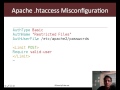 Http Verb Tampering Demo
-
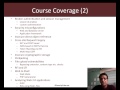 Web Application Pentesting Course Introduction
-
 Introducing Pentester Academy
-
 Hack Of The Day 13: Remote Shellcode Launcher: Testing Shellcode Over A Network
-
 Hack Of The Day 12: Pivots And Port Forwards In Scenario Based Pentesting
-
 Hack Of The Day: Customizing Shellcode For Fun And Profit
-
 Hack Of The Day: How Do I Run Untrusted Shellcode?
-
 Securitytube Linux Assembly Expert Exam Format
-
 [Slae] Writing An Custom Insertion Encoder
-
 [Slae] Execve Shellcode Stack Method
-
 [Slae] Shellcoding Basics
-
 [Slae] Using Libc And Nasm
-
 [Slae] Hello World In Assembly Language
-
 [Slae] What Is Assembly Language?
