Follow us


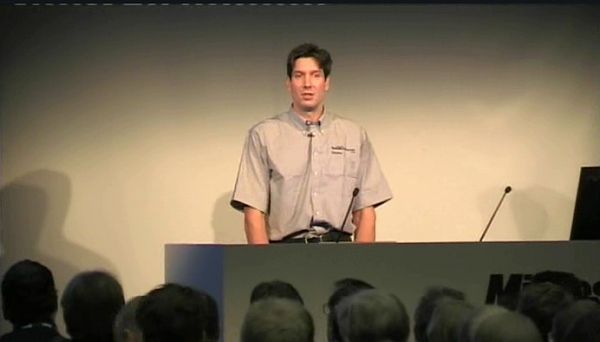
Description: Mark Russinovich from SysInternals fame explains how to detect and remove malware from a windows PC using freely available tools such as the Process Explorer and Autoruns. The talk is very detailed and hands-on, so i suggest you download the tools and follow the video. Best would be to setup a windows OS within Vmware, download some spyware and play with it. Mark explains beautifully how to zero down on suspected malware - processes which do not have an icon, no description or company name, unsigned Microsoft images, generally live in the windows directory, are packed, include strange URLs, try to open TCP/IP connections and host suspicious DLLs and sevices. He then goes ahead and discusses how to remove the spyware by deleting its entires from the startup registry options, from the hard drive and from any system processes and DLLs it might have infected. The presentation is very detailed (over 1.5 hours) but is a must watch! Sadly, the video cannot be embedded, hence please click on the image below to view it. Alternately, click here.
You can visit Mark's blog here for more interesting articles. He is definitely "The Authority" on Microsoft security.
Tags: tools ,
Disclaimer: We are a infosec video aggregator and this video is linked from an external website. The original author may be different from the user re-posting/linking it here. Please do not assume the authors to be same without verifying.
Comments:
Login to post a comment

-
 Defeating Getimagesize() Checks In File Uploads
-
 Challenge 6: Digest Authentication Reloaded
-
 Challenge 5: Digest Authentication Attack
-
 Basic Authentication And Form Bruteforcing
-
 Http Basic Authentication Attack (Easy)
-
 Challenge 2: Http Form Attacks Reloaded
-
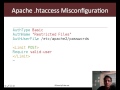 Http Verb Tampering Demo
-
 Web Application Pentesting Course Introduction
-
 Introducing Pentester Academy
-
 Hack Of The Day 13: Remote Shellcode Launcher: Testing Shellcode Over A Network
-
 Hack Of The Day 12: Pivots And Port Forwards In Scenario Based Pentesting
-
 Hack Of The Day: Customizing Shellcode For Fun And Profit
-
 Hack Of The Day: How Do I Run Untrusted Shellcode?
-
 Securitytube Linux Assembly Expert Exam Format
-
 [Slae] Writing An Custom Insertion Encoder
-
 [Slae] Execve Shellcode Stack Method
-
 [Slae] Shellcoding Basics
-
 [Slae] Using Libc And Nasm
-
 [Slae] Hello World In Assembly Language
-
 [Slae] What Is Assembly Language?
