Follow us


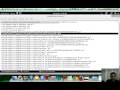
Description: Ping is a utility which uses ICMP echo request to find out if the host machine is up or not. This utility is part of windows as well as linux operating system. But the default ping utility in windows operating system doesn’t provide rich command line options like changing the delay between two ping packets or sending ping message to multiple hosts. Fping provides the very rich command line options, so that one can ping number of different hosts it can also take input from file or change the data size or data content of the ICMP ping packet. Fping can be easily used in script and its output can be easily parsed. <p> This video explains the usage of following options </p>
- -d Ping with specific data
- -g Ping IP range from host1 to host2
- -H Get hosts from file (comma separated list)
- -L Logging to text file <p> With the help of ‘-d’ option one can change the contents of the ICMP data portion. Now comes the real beauty of the fping package. With the help of ‘-g’ option you can ask fping to ping a list of hosts from host1 to host2. If you don’t want to ping all the hosts in between but want to ping only specific hosts saved in a text file that can be executed with ‘-H’ option. This option requires a file with complete path which contains a comma separated list of hosts. </p> Links <p> 1. Download fping </p>
Tags: tools ,
Disclaimer: We are a infosec video aggregator and this video is linked from an external website. The original author may be different from the user re-posting/linking it here. Please do not assume the authors to be same without verifying.
Comments:
Login to post a comment

-
 Defeating Getimagesize() Checks In File Uploads
-
 Challenge 6: Digest Authentication Reloaded
-
 Challenge 5: Digest Authentication Attack
-
 Basic Authentication And Form Bruteforcing
-
 Http Basic Authentication Attack (Easy)
-
 Challenge 2: Http Form Attacks Reloaded
-
 Http Verb Tampering Demo
-
 Web Application Pentesting Course Introduction
-
 Introducing Pentester Academy
-
 Hack Of The Day 13: Remote Shellcode Launcher: Testing Shellcode Over A Network
-
 Hack Of The Day 12: Pivots And Port Forwards In Scenario Based Pentesting
-
 Hack Of The Day: Customizing Shellcode For Fun And Profit
-
 Hack Of The Day: How Do I Run Untrusted Shellcode?
-
 Securitytube Linux Assembly Expert Exam Format
-
 [Slae] Writing An Custom Insertion Encoder
-
 [Slae] Execve Shellcode Stack Method
-
 [Slae] Shellcoding Basics
-
 [Slae] Using Libc And Nasm
-
 [Slae] Hello World In Assembly Language
-
 [Slae] What Is Assembly Language?
